Neurosurgical Anatomy-Driven Mini Simulations
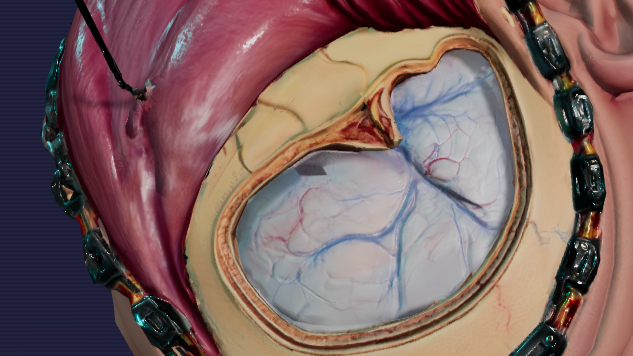
Converting classical neurosurgery textbook materials into interactive visuals. Every anatomical illustration is transformed into an opportunity to execute a surgical decision based on sound anatomical knowledge under live supervision of digital mentor.
Drag to rotate • Click to change structural tint
Launch Full LabNeurosurgical Simulation Philosophy
Beyond rote memorization: Training clinical spatial judgment through anatomy-driven branching decisions and real-time interactive consequences.
The Interactive Mentor Left Panel
The left panel hosts the mentor: a seasoned surgeon whose guidance is grounded in anatomical truth and years of operative experience. This presence is not decorative; it is the learner’s anchor. The mentor interprets the evolving scene, highlights danger zones, and frames each decision within real surgical logic. Their voice, text, and avatar appear only when needed, offering concise, context-aware feedback rather than overwhelming commentary. This panel becomes the learner’s cognitive scaffold—clarifying intent, correcting unsafe reasoning, and reinforcing principles that protect patients. It transforms expertise into an accessible companion throughout the simulation.
The 16:9 Canvas Central Panel
The central 16:9 canvas is the heart of the mini-simulation, transforming a static anatomical illustration into a living operative field. Here, structures respond to the surgeon’s decisions, revealing how anatomy behaves under real surgical conditions. Each vessel, nerve, and layer carries embedded annotations that surface only when clinically relevant, guiding the learner without interrupting flow. This space becomes a safe arena to test judgment, anticipate danger zones, and practice choosing the least harmful path. By merging visual anatomy with interactive logic, the canvas turns surgical knowledge into an active, decision-driven experience.
Surgical Instruments Right Panel
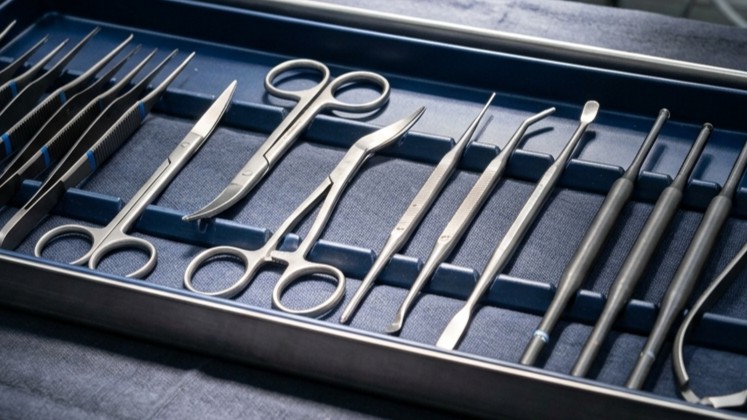
The right panel functions as the surgeon’s instrument tray, presenting the tools required to act within the operative canvas. Each instrument is purpose-built, anatomically justified, and context-sensitive. Tools illuminate only when appropriate, preventing misuse and reinforcing safe surgical sequencing. Selecting an instrument is not a mechanical click—it is a deliberate clinical choice shaped by anatomy, pathology, and risk. This panel teaches the logic behind action: when to dissect, when to retract, when to pause. By pairing visual clarity with decision-driven mechanics, the right panel becomes the learner’s gateway to executing precise, harm-avoiding maneuvers.
Bridging Vein Simulation Sandbox
Interact with the 2D microvascular simulator. Cauterize and divide dural venous junctions under live clinical coaching.
Meet the Tutor
Consult Dr. Haidar Darwash for personalized, voice-guided neurosurgical supervision. Customize his knowledge base dynamically below.
Dr. Haidar Darwash
Lead Neurosurgical CoachClinical Persona & Experience
Neurosurgical consultant (60 years old) with a deep lifetime passion and interest in neurosurgical anatomy. Dr. Darwash is highly precise, encouraging, and teaches patient-first anatomy principles.
Grounding Rules
Answers are strictly restricted to the textbook context in his memory. If a question is outside his active scope, he will decline to speculate.
Consult Dr. Haidar
Open the global clinical mentor interface to get real-time guidance, voice-supervised instructions, and active feedback based on your current workspace section.
Live 3D Model Specimen Viewport
Interact with clinical meshes and orient specimens directly in the surgical workspace.
Lab Authorization Required
Security credentials are required to orient visual specimens or manage GCS 3D model assets.
No Specimen Selected
NoneDescription
Please select a visual asset card from the library below to begin orientation.
File Information
Visual Library
Upload New Visual Specimen
Drag and drop 3D model (.glb, .obj, .fbx) here, or browse files
Note: You can also upload a matching .json file named exactly the same to provide clinical descriptions.Surgical Simulation Library
Practice virtual anatomical corridors and evaluate structural margins.
Right Pterional Approach
Interactive 3D craniotomy simulator and surgical corridor mapping for frontotemporal access.
Variable Mini Simulations
Dedicated micro-simulation lab featuring standalone HTML surgical sandbox and physics trials.
Surgical Video Gallery
Walkthroughs and dynamic video guide repository illustrating surgical setups and guidelines.
Retrosigmoid Approach
Posterior fossa access targeting the cerebellopontine angle and cranial nerves VII-VIII.
Suboccipital Approach
Suboccipital craniectomy for access to the fourth ventricle and cerebellar hemispheres.
Interhemispheric Approach
Microsurgical path through the longitudinal fissure to access deep callosal lesions.
Transsphenoidal Approach
Endonasal corridor to the sellar region for pituitary tumor resection.
Google Cloud Storage Console
Manage clinical simulation datasets, tensor graphs, and MRI scans in your europe-west1 bucket.
Lab Authorization Required
Security rules require clinical credentials to read or write simulation data in the Cloud Storage bucket.
Upload to Bucket
Drag and drop simulation files here, or browse files
Supports .h5, .json, .nii, .csv, .glb data formats